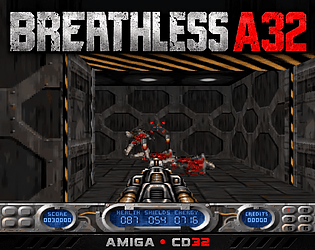

Vielen Dank das freut mich sehr. Du kannst auch auf deutsch schreiben. Spiele breathless A32 mal mit FPS Steuerung. Dann kannst du es mit Maus wie einen aktuellen Shooter spielen . Da du auch vertikal schießen kannst.

2311 Bytes
Creator of
Recent community posts
Hi, thanks a lot for testing so thoroughly, your numbers helped a lot!
They show exactly where the limit is. With a graphics card, the CPU is not the bottleneck but the amount of data that has to go over the Zorro bus to the card for every frame. 320x240 is about 77 KB per frame, 640x480 about 300 KB, 800x600 about 470 KB and 1920x1080 about 2 MB. Your results work out to roughly 8 to 9 MB/s, which is why the fps drop almost exactly with the resolution. That is also why the Workbench resolution only matters when the game uses it for its own screen.
Version 1.3 is now online:
- The black screen with “RTG schnell” is fixed. The game now only picks screen modes the card can really display. If the RTG screen still cannot be opened, it asks whether to continue with AGA instead of running invisibly, so no more reboot.
- WASD with mouselook is now the default control mode. If you already have a saved config, your old setting stays, so switch to FPS_WASD in the CONTROLS menu.
For the best speed on the ZZ9000, choose “RTG Auflösung...” and pick a 320x240 8 bit mode. That gives you the 23 to 24 fps you measured, which is about AGA level.
About the music and the mouse pointer, I would like to fix those too. Unfortunately the image you mentioned did not come through here. Could you upload it again, maybe to imgur? And a few questions:
- Music: what exactly happens? Wrong speed, wrong instruments, noise, or does it stop? Does it also happen with AGA, or only with RTG?
- Mouse pointer: is it garbled, invisible or in the wrong place? Does it go back to normal after a while, or only after a reboot?
Thanks again for your help!
Hi, thanks a lot for the detailed report!
The cause is how the picture gets to the graphics card. Breathless renders a 320x240 image. With “RTG PAL”, “RTG Vollbild” and “RTG 4:3” this image is scaled up by the CPU to your Workbench resolution, and the whole frame is then sent over the Zorro bus. With a Workbench at 1920x1080 that is up to about 2 MB per frame, compared with roughly 40 to 60 KB per frame on AGA. So the rendering itself is just as fast, but the transfer to the card eats most of the frame time.
Version 1.2 improves this:
- Only the part of the picture that actually changed is sent to the card.
- The upscaling is much faster.
- There is a new option “RTG schnell” (fast) in the startup requester. It looks like “RTG 4:3”, but uses a smaller 8 bit screen mode with the same aspect ratio as your Workbench (for example 640x480 for a 1024x768 Workbench). The card or monitor then does the rest of the scaling, so much less data goes over the bus.
What you can try:
- Use “RTG schnell” in V1.2.
- Or choose “RTG Auflösung...” and pick a small 8 bit mode such as 640x480 or 320x240. That is the fastest way.
- If “RTG schnell” finds no suitable smaller mode, you can add one in the Picasso96 settings (8 bit, for example 640x360 for a 16:9 Workbench).
Could you tell me which Workbench resolution you use and which option you chose in the requester? I’d be really interested in your fps with V1.2 and “RTG schnell” on the ZZ9000, and from your friends with the P-Vision.
Sure! The key rule was: measure first, then change. A developer build shows the time of each part of every frame, accurate to the microsecond. That way you can see where the time is really lost.
A few examples:
- Frame timing: The game often waited for the next display frame when it didn’t need to, about 10 ms per frame on average. That’s fixed.
- Fewer pixels: A helmet view with a smaller 3D window, coarser pixels (4x2) and single-colour floors. On the CD32 that means about 12.4 instead of 9.3 frames per second.
- CD32: The Akiko chip does the conversion to bitplane format instead of the CPU.
- RTG: Sending the picture to the graphics card took about ten times as long as the whole 3D rendering. Now only the changed area is transferred, upscaling works without nested loops, and “RTG schnell” uses a smaller screen mode. This sends many times less data over the bus.
Verständlich ! Eine Story, vielleicht hat ein böser Zauberer namens Irata die Menschen in Statuen oder Zombies verwandelt. Nun muss der Held 4 Zauberkristalle finden um die Menschen zu retten. Und alle 4 Zauberkristalle sind in Dungeons / Schlösser. Und dann gibt es halt 4 Dörfer oder ein Dorf mit 4 Bezirken die Stück für Stück wiederbelebt werden. Ist halt nur eine Idee. Vielleicht könnte man dir auch Monster pixeln wenn man weiß wie groß die sein sollen ? Würde mich gerne mal versuchen.