

Indie game storeFree gamesFun gamesHorror games
Game developmentAssetsComics
SalesBundles
Jobs
TagsGame Engines
(2 edits)

Does anyone happen to know an easy way to use these hexes in Worldographer?

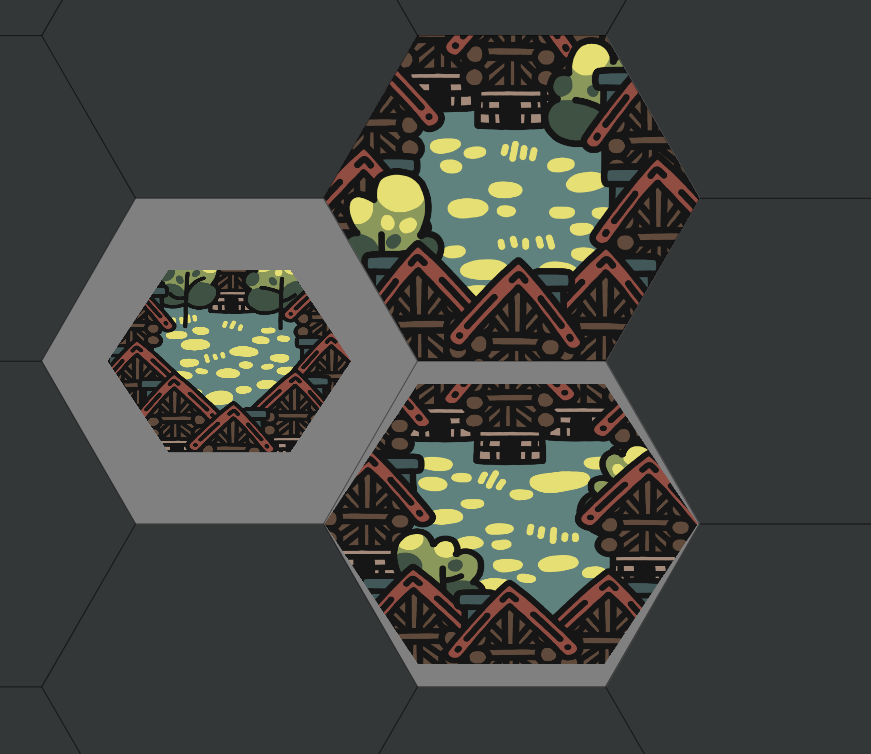
I just bought them but if I import them as-is they have a gray border around the hex (the left-most hex in the screenshot). I can go into GIMP and crop the canvas down to touching the edges of the hex + set the scaling to 100 in Worldographer which fixes it (the upper hex) but obviously doing that for every image file would take a ton of time.

Worldographer has a built in scaling option like I mentioned above but the hex gets wonky for some reason if you just scale the unedited image. It imports at size 75 by default but trying to scale it up to size 115, you can see it doesn't line up (the lowest hex).

edit: going to try Hex Kit too now that I remembered I own it too.
Hey! I answered your email.

Some of the hex map editors expect tiles to have certain aspect ratios.

You can use Tile Builder to trim and replace the border for all tiles at once.

Script for trimming borderless tiles:

set_type = tile script
set_canvas_size = (628, 726)
set_ground_position = (0, 0)
set_element_offset = (-106, -57)
build_tile

Script for trimming borderless tiles and also replacing the border:

set_type = tile script
set_border_identifier = "Isle of Lore 2\pointy.border_medium.dark\border_medium_0"
set_canvas_size = (688, 795)
set_ground_position = (30, 34)
set_element_offset = (-76, -18)
build_tile

Hope that helps!