Hi all! I’m hosting a month-long jam for RPG Maker MZ and MV plugin makers.
🧩 Make a new plugin for RPG Maker MZ or MV
🗓️ Build: Nov 9 – Dec 9, 2026 · Voting: Dec 9 – Dec 14
👥 Solo or team · beginners welcome
🤖 AI-assisted entries welcome (with disclosure)
🏆 Prizes: plugin bundles + a feature video for the winner
Entrants rate each other on Usefulness, Ease of Use, Polish & Stability and Originality.
Stuck for ideas? There’s a community Plugin Wishlist thread on the jam page.
📅 Building: Nov 9 – Dec 9, 2026
⭐ Voting: Dec 9 – Dec 14, 2026
🧩 RPG Maker MZ or MV · solo or team · AI-assisted entries welcome (with disclosure)
Where to go next:
💡 Need an idea? Check the Plugin Wishlist thread
🤝 Want a team? Post in Find a teammate
❓ Questions? Start a new topic and I’ll answer
I’ll post updates here during the jam. Good luck and happy building!
Want to team up for the jam? Post a reply using this template:
Looking for: (coder / artist / tester / writer / just a buddy)
I can do: (your skills)
Engine: (MZ / MV / both)
Time zone:
Contact: (itch DMs, Discord tag, etc.)
Plugin idea (optional):
Solo devs: testers are gold for plugins. Offer to test someone’s plugin and ask them to test yours!
Tip: once you’re on a team, add your teammates as contributors on your itch project page.
Every RPG Maker dev has a “someone should make a plugin for…” list. Post yours here!
How this thread works:
• Reply with a plugin you wish existed (one idea per reply is easiest to read).
• See an idea you want to build for the jam? Reply “Claiming this!” so others know.
• Not entering? You can still post ideas. This thread is open to everyone.
To get things started, here are a few I’d love to see:
🎣 A fishing or cooking minigame with simple setup
📖 A bestiary / monster journal that fills in as you fight
♿ An accessibility pack: text size, colorblind filters, button remapping
💾 Save slots with screenshot previews
💥 Battle juice: damage-number styles, hit-stop, screen shake
I understand and thank you for the response, candidness and understand every bit. I will try to do better next time if I post to another one of these jams.
Thats great! Please feel free to upload a little video tutorial test for other’s to see, i would love to showcase your stuff on the project page and link to some of your stuff :)
That might be a little too complex than just 1 plugin system, there might need to be 2 dependant plugins.
Basically you keep adding “If this than that” happens statements in the code, with more than 3 independent systems involved.
The characters themselves
The weapon proficiency
Luck/weighted roll chances need to interact with 1 +2
Character + Monster Scaling before determining #3
I make no guarantees because i’m working on other projects too, but i’ll try to get it as close to your request as I can; there’s just a lot of independent yet dependent variables that may end up breaking your game if you add other independent plugins.
So i’ll go for a “universal” base code, then you will need to “enhance” the files by adding your other files into either Claude or another LLM along with it with the instructions to “merge, fix holes, and rerun under RPG Maker MZ’s default database”
Love this idea, let me take a crack at it today. I’ll make it more functional than fashionable though, so if you’re wanthing the aesthetic overlay blend you’re going to need to rework it based on the aesthetics you want.
But from what i understand the remake adds another layer / independent layer. Which makes it a little more complex from the trait tree because you’re adding leveling to Class-weapons which the default database doesn’t have (weapons are just their stats not leveling them like characters).
Either way I’ll try to get your baseline code done for you for the above context in mind.
If i’m understanding your questions correctly then you need to build an extension onto this plugin using those files as the base.
But All the settings you’re seeing from that screenshot is how it’s built. Anything new conceptually needs to be built.
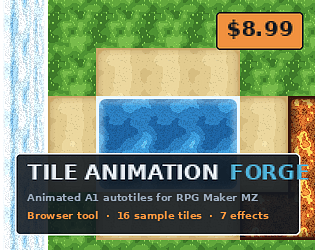
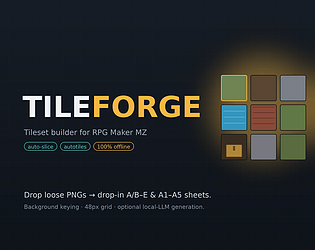
If you want different enemies from different spritesheets (without a new extension), then you would have to splice and merge them (ie. Sprite from People 4.png + Monsters.png require splitting and merging) –– if this is what you mean then you can use “/__site/rpg-maker-plugins.itch.io/tileforge” to split your enemy tilesheets then remerge and download the specific ones into a whole new sheet. Look at the demo video and if that’s what you mean then use this tool or similar.
Well the plugin is based on your own assets/enemies/database, so you need to upload your own assets to get more. If you’re working with the default RPG Maker MZ than the default assets is all the plugin is registering
Drop your image into img/parallaxes/ in your project. That’s the folder the plugin loads from — anything you’d normally use as an RPG Maker parallax works.
Open Plugin Manager → PlatformerForge and set:
Parallax Background → pick your image file.
Parallax Scroll Rate → controls the movement. 0 = fixed/static (image doesn’t move with the camera), 1 = moves fully locked to the camera (no parallax feel), and something like 0.35 gives that nice slow drift where the background lags behind the foreground. (Vertical movement is automatically half of this rate, so it feels natural when the camera rises.)
Hit ▶ Play to see it — the parallax does not render on the editor canvas, only during play. If you leave the Parallax Background blank, the plugin draws a built-in dark-blue gradient sky as a fallback, so you’ll always have something back there.
— If you struggle seeing it after these steps you might get an error in the console due to Size or Resolution of the image/animations itself. If that’s the case take that error message + the file and put it into an LLM with the prompt “Fix the coding for this specific error”; then you should be able to reload it onto your specific machine’s requirements.
Every background music generator in one bundle — 65% off each, or grab all 13 for $19.99.
Each generator produces original, loopable BGM directly inside RPG Maker MZ & MV so you never have to hunt for royalty-free tracks again. Covered genres: space & sci-fi (Aether, HOLLOW), Lovecraftian and Halloween horror (ELDRITCH, Halloween/Horror), fantasy adventure (Wayfarer, Ocarina of Time-like, RIHLA), Viking dubstep & rap (JÖTUNN), funk & disco (BOOMBOX), arcade racing (REDLINE), Italian mob (OMERTÀ), underwater exploration (Subnautica-like), and Christmas/holiday.
Individual generators are 65% off during the sale. The full bundle is $19.99 — that’s about 71% off the $69.87 regular total, less than the price of four generators on their own.