
Indie game storeFree gamesFun gamesHorror games
Game developmentAssetsComics
SalesBundles
Jobs
TagsGame Engines

mance

114
Posts
1
Topics
1
Followers
11
Following
A member registered Jan 02, 2023

Recent community posts

A lovely piece of work. I hope the creative artists will like it.

I’m sure he’s familiar with the short film *Toy Story: That Time Forgot*.

It’s like something out of a fairy tale. I tell the genie in the lamp what I want, and he makes it happen. When I was eight, only Bill Gates had a computer at home, and the internet didn’t exist. The idea of some sort of AI that would create a video game for us on command was pure science fiction. And we’re only just getting started. We’ve got some truly crazy times ahead of us.


Any sufficiently advanced technology is indistinguishable from magic. This is often referred to simply as "A. C. Clarke's Law"

OK and thank you.

I would say a shockingly good performance ! Some blitter code madness ?

thanks for info.

(1 edit)

good job mate .. boss clipping is rectified ! 

Keep in mind, though, that I'm evaluating this based on the latest publicly available version of the Cspect emulator. I think M. Dailly has an even newer version for Patreon users, and the actual hardware might behave differently as well. Heh.

(3 edits)

one liner is gone .. but ..


OK... I beat the first level... The final boss appeared on screen more than 40 pixels from the top edge... So he didn't emerge from below the black border beneath the HUD, but much lower than that. I don't know if that's intentional or just a clipping error with the boss.

(1 edit)

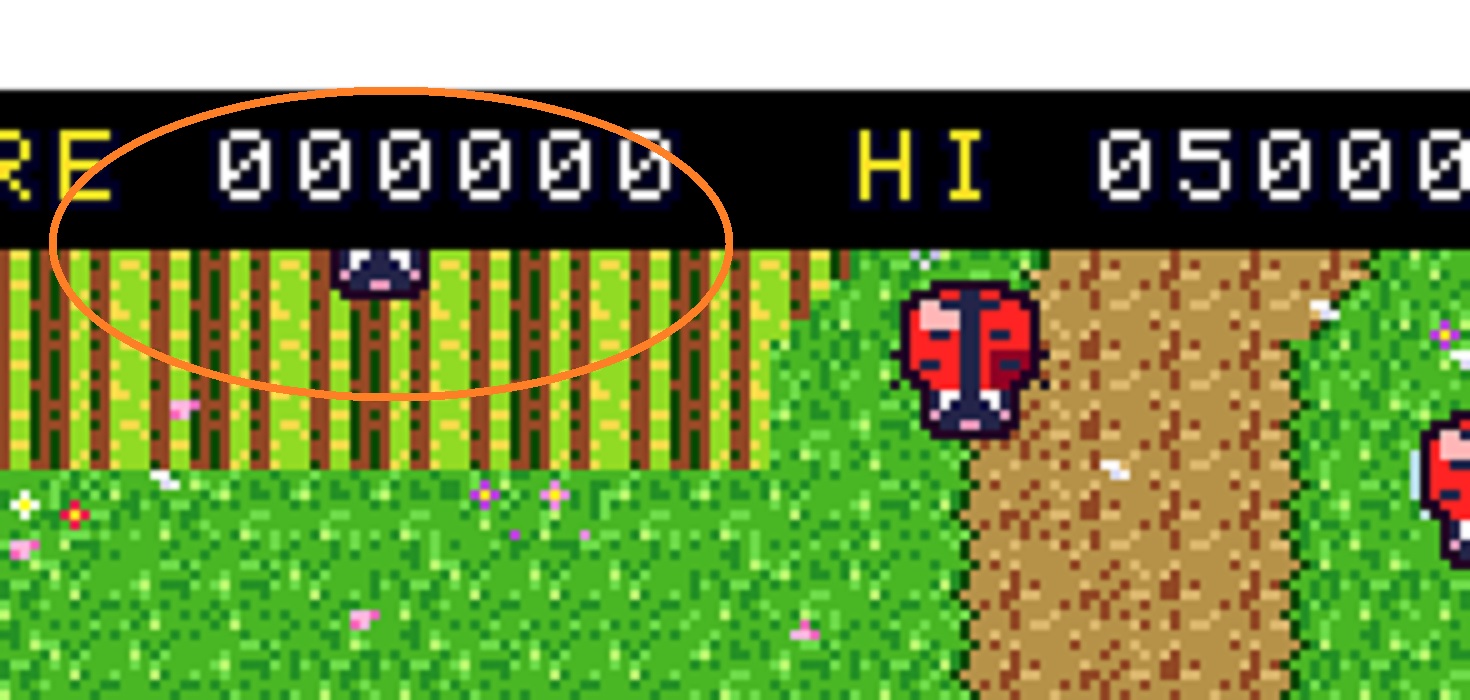
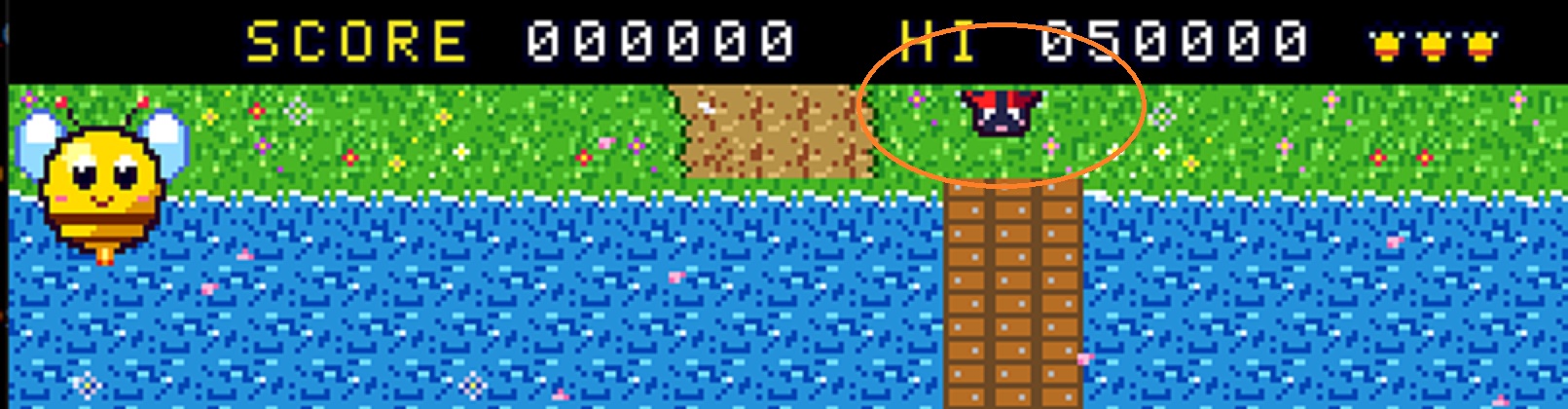
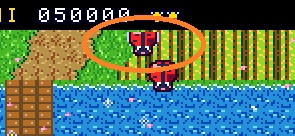
looks good !!  NPC movement OK, petals fullsreen OK, player OK .. there is just that 1 pixel wide gap at TOP edge and that is all /make HUD one pixel taller pointing down .. heh/.


see pics .. 

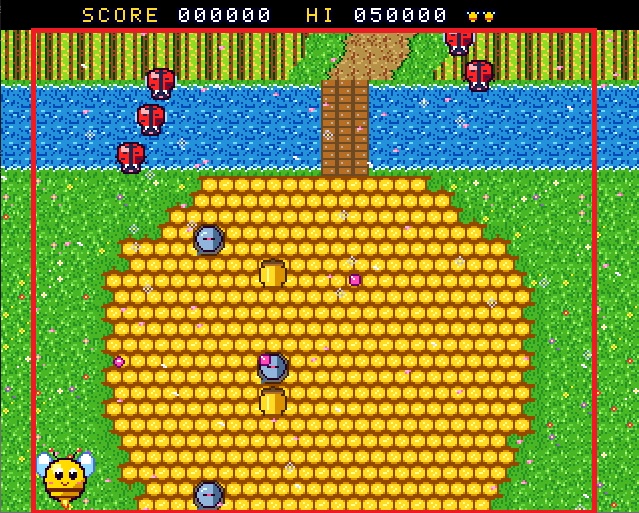
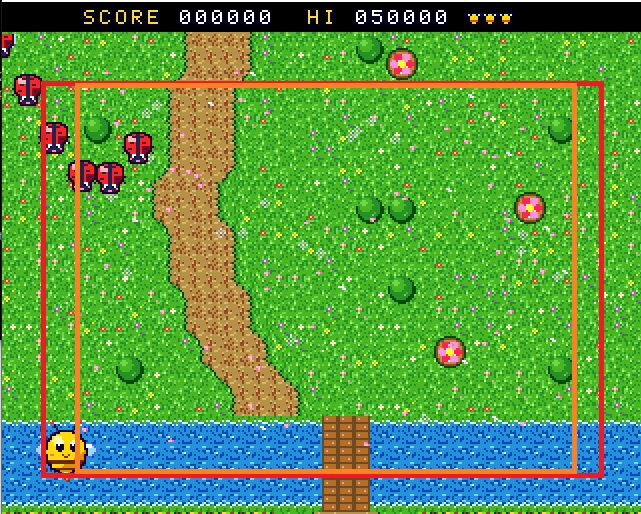
enemy NPC seem OK /left, right, down border .. just top margin - there is some 1 pixel wide minigap under HUD, see orange marker/, parallaxing flakes look OK, the player looks OK for UP and DOWN border .. but left and right .. there is still a gap, see picture - red line.


It looks like the NPCs are now moving across the entire screen /minus cca 2px wide upper edge, under HUD/. The parallax-scrolling flakes are still 256x192 or less - see orange borders, and the player still can't reach the edge of the play area—see the image - red borders.

as always .. thank you.

thank you.

Yes. I'm not a programmer, but it would obviously be much simpler to keep the entire game, all the graphics, and all the logic at a 256x192px resolution—but you'll see what the AI can do with it.

(1 edit)

For me, it's still the same even in version 1.8—which means the graphics scroll within a 320x256 window (I think), but the game runs at 256x192 (I guess) ... That means that when an enemy flies down at me from above, it doesn’t appear right at the very edge of the visible game screen, but about 32 pixels or so further away from it, and this applies to all four sides.

You know the legacy Speccy. The screen has a wide BORDER where no graphics are displayed. The game runs “in the center,” and the border is all around it. In your game, there are scrolling graphics in the border, but neither the player nor the NPCs can get there.

OK !

NEXT FEATURES

* 256-colour Layer 2 graphics, hardware sprites, a Copper-driven sky gradient per room,

.

.

.


palette animation, particle bursts, 28 MHz


.. a big gap ???

Nothing serious... It was just that the game was running in a window about 256 pixels wide, but the graphics were displayed at 320 pixels wide, so it looked like there was an invisible barrier separating them from the game... 


Even those flower petals—or whatever they are—that scroll in parallax don't appear across the entire width of the game window.

thanks .. a bit of formating errors with text above /Next features/.

cheers for your hard work.

super interesting tests, thanks.

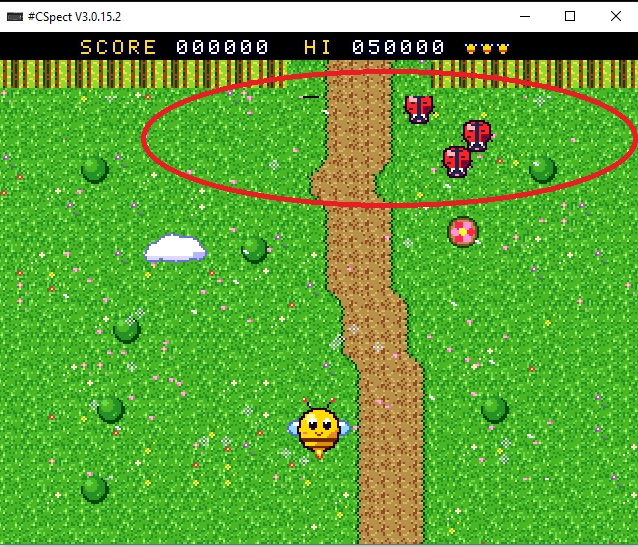
nice and addictive .. under Cspect is playfield smaller than a whole visible screen ??

When I look at all that sea of text, code, and work, I always think of poor old Sam Coupe—and we know why.

a classic game, wonderful work.

office PC, emulator .. all working fine.

ah .. I am sitting behind potato office PC with keyboard and mouse.

(2 edits)

Cspect .. what are controls - every buttons shows: "no bonus screen" and is then resetting scene ?

cheers, good work.

exhausting amount of code, games, apps, etc. etc.

(2 edits)

I’m not a programmer. When it comes to that 30 per cent speed boost for the core, the only thing that springs to mind is a redesign of how the system handles RAM and an real increase in the operating frequency to 28 MHz? At the moment, it’s actually running like at "24.5 MHz" because wait states are being inserted.

OK. thanks.

nice. cheers.

It's very informative and useful. It definitely needs better "advertising"; I don't use Facebook, but I guess you've posted it there—I hope as many people as possible see it.

thanks !

I tried it using the Cspect emulator. Everything works. There’s just one small issue. If I hide in a small cave, the shark stays waiting on the other side, just one ‘wall’ away, and doesn’t swim away after a while; what’s more, it’s very fast, so it’s impossible to escape, and the number of sonar attacks is limited.

best Next webzine !

cheers, good work.

even that wall of text is a shocking amount of the work !!

thanks.