




Indie game storeFree gamesFun gamesHorror games
Game developmentAssetsComics
SalesBundles
Jobs
TagsGame Engines

Feniks

353
Posts
32
Topics
2,672
Followers
98
Following
A member registered Sep 25, 2019 · View creator page →

Creator of

Recent community posts

Hey there! Yes, in order to not include unnecessary files in the tool, the default graphics just consist of basic colours. You're welcome to make a gradient bar image and use that instead, or use my gradient tool (/__site/feniksdev.itch.io/gradients-for-renpy) to generate gradient images in code. The music room screens are meant to be customized to suit your game and UI needs. 

To be clear - the point is to give an existing virtual cursor an id like id "whatever" and you pass in "whatever" to the function I wrote. Do not create a random virtual cursor and try to get coordinates from it - the one you made in your example code isn't shown anywhere and thus any information it had would be entirely useless, even discounting the fact that the function I made wants an ID and not a VirtualCursor object. If you already have a Python VirtualCursor object defaulted instead of declared via virtual_cursor in a screen, then just call get_cursor_coords() on your VirtualCursor object. Again, do not just create a random VirtualCursor object - this must be the virtual cursor you are already using.

No worries! Simplest way will be to add this function somewhere:

def get_vc_position(id):
    """Get the position of the virtual cursor with the provided ID."""
    d = renpy.get_widget(None, id)
    return d.get_cursor_coords()

And then you can give your virtual cursor an ID and pass it into that function to get the current coordinates.

Try removing the ymaximum config.screen_height-200 from style track_list_viewport and see if that solves your issue. For some reason adding size properties directly in the screen doesn't appear to be overwriting the style. 

Of course! This fix is reasonably robust in the meantime if you'd like to make a note of it for speech pause plugin users; the main risk is double translation, as mentioned. Hopefully it will make it into the 8.6 prerelease as it's marked though 🤞 

You can certainly use it to recolour any number of images, but at minimum you're going to need to show every image you want to recolour at a transform. This is how any recolouring will work unless you're using dynamic image paths and have multiple physical files in different recolours. There isn't an easy "recolour all images with this prefix" solution for in-game recolouring I'm afraid. If you declare an RGBColorize object though, you can use the transform like

define ui1 = RGBColorize(...)
define ui2 = RGBColorize(...) 
default persistent.ui = 1
init python:
    def color_ui():
        if persistent.ui == 1:
            return ui1.transform
        else:
            return ui2.transform

And then you could show your buttons etc with `at color_ui()`

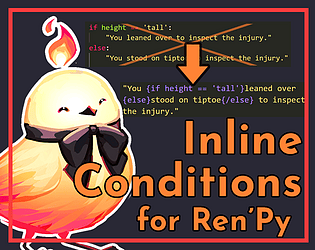
Okay, your problem is the {/elif}. Remove that. In all versions of the plugin, you don't need to close those tags yourself unless it's the final clause of the condition. So, valid formats are:

{if}text{/if}
{if}text{elif}text{/elif}
{if}text{else}text{/else}
{if}text{elif}text{elif}text{else}text{/else}

or the new format will also take {/if} in place of the ending {/elif} and {/else} tags that finish of a singular condition.

{if}text{/if}
{if}text{elif}text{/if}
{if}text{else}text{/if}
{if}text{elif}text{elif}text{else}text{/if}

The if= stuff is normal - it gets transformed in the process/that's how the text tag looks behind the scenes. Can you show me what that line looks like in your script? It has two closing {/if} and I'm unsure if there's a parsing issue there or if you've written something incorrectly before parsing. 

Okay yes you can replace the `blank_tag` function and the two lines below it with this:

    def blank_tag(tag, argument):
        return [ ]
    config.self_closing_custom_text_tags["elif"] = blank_tag
    config.self_closing_custom_text_tags["else"] = blank_tag


Hope that helps!

No worries! This behaviour can be ignored, though I may be able to adjust the new dummy elif/else text tags so they don't get erroneously flagged on lint. I will reply here with any adjustments if so! 

Oh interesting, thanks for reporting back! Yeah the parentheses for screens improves prediction since it indicates the screen will not receive arguments, though this is an interesting side effect of that also. I appreciate the investigation! 

Unfortunately I'm unable to recreate this on Ren'Py 8.5.3. Showing a marquee with dialogue, NVL or regular ADV, does not cause the animation to reset for me. I suspect you may have something going on in your NVL screen? If you can recreate the problem in a default project, let me know the Ren'Py version you're using and the code.

Hey there! Could you share the code you're using for this so I can try to recreate it?

Hello! I was able to test this and it is working as expected on Ren'Py 8.5.3, the latest release - I suggest updating if that's possible. I also didn't have any problems running it on 8.3.7. If you're still having trouble on either of these versions, make sure you can run the example code in a blank project. The problem may be with where or how you're trying to use it if it's still not working. I hope that helps!

Hey there! Thanks for the report - I'll investigate this soon.

Sure, you can customize it however you like! I suggest messing around with screen language a bit before tackling this; once you're more comfortable though, the best way would be to add an argument like `kind="bad"` to your Achievement declaration (same way as you add arguments like name and description), which you can then access in the popup screen or achievement gallery screen via `a.kwargs.get("kind")` where `a` is an Achievement object (that's what I call it in the default versions of the screens). So you could do something like

frame:
    style_prefix 'achieve_popup'
    if a.kwargs.get("kind") == "bad":
        background Frame("bad_bg.png", 5, 5)
for example.

For secret achievements, you'd check for a.hide_name or a.hide_description probably. Or do `kind="secret"` and check for that the same way as shown above. Hope that helps!

Yeah you don't have any default attributes or `always` images. If you just did `show Judy` it would be a completely blank image. Adjust it to something like `attribute neucloth default:` so that there's always a body layer shown at minimum (and you probably want to do the same for brows/eyes/etc).

I should also note in this thread there was someone with a similar issue, which they ran into because their layered image did not have default attributes and thus the base image would show nothing at all unless attributes were added, which can cause this error because the image has no size by default

Are the characters you're switching between layered images? Can you show me an example of two layered image declarations you're switching between which causes this issue? 

Thanks for the investigation! I've added it to my issues tracker and I'll take a look when I can.

So, these are pretty standard errors with your code rather than the plugin.

elif pronoun == "custom" and "pronoun": makes no sense as a condition, for example; I don't really know what you were trying to write here, but this line will always be truthy if the previous check isn't because and "pronoun" is always truthy. You might want to look at https://feniksdev.com/conditional-statements-in-renpy/ for more on how to construct conditional statements.

You also have a lone elif : with no condition; you probably meant to write else:

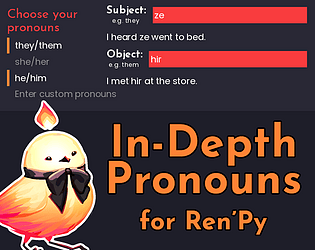
I'm not entirely sure what your issue is with the custom pronouns where you mention "Appears after trying to use both one and custom set of pronouns, doesn’t show the singular pronoun menu after using entering custom pronouns" - that's how that code works. It's working as it's written and as was intended. You input custom pronouns and pick your terms and that's it. It's not meant for picking multiple pronoun sets; there's a different example specifically for that.

You also have a screenshot of the example pronoun adjustment screen with the note "Showing screen for multiple pronouns shows up as this" but it looks exactly as I would expect, as far as I can tell. Feel free to adjust the styling however you want if the size isn't suitable for you.

Your LabelNotFound error states exactly what's wrong - you have a jump to multiple_pronouns_demo which I presume you intend to change to jump somewhere else since you don't have or perhaps need a demo label.

You also note that the dialogue later is incorrect since you have custom and they/them pronouns, but your confirminfo label doesn't take any of that into account. It just prints the current pronoun set. You'll need to use something like "Your pronouns are [pretty_print_pronouns()]." if you want it to print out a list of all the player's pronouns rather than just their current pronouns. 

I hope that helps you get started fixing things!

Hello! I don't have access to the doc you linked so I can't view it. To diagnose the problem, it would be helpful if you showed the error message(s) as well and described what exactly you mean by "struggles to show custom dialogue" since "struggles" isn't exactly a coding term. I'm also not sure what you mean by your second note about the custom pronoun set selection - please walk me through the steps you are taking, what you see, and what you expect to see. 

Unfortunately there isn't really any information for me to troubleshoot with either; I suppose for you I'd suggest just adding or removing things one at a time. Perhaps try removing the FocusDisplayable, making the controller_viewport just a regular viewport, removing other things from your viewport and screen, changing the bar to a regular bar, etc. 

For the first problem - somewhere in your script you have a line like `define s = Person(...) ` or `default s = Person(...) `. `s` the variable name is used in the pronoun framework to make certain verbs plural. You can't have two variables named the same thing. Rename one or both.

For the second issue, you haven't provided enough information. I suggest if you're pretty new to all this that you just copy exactly what's written in the example labels and change one thing at a time and then test again to see if it does what you want. 

Sure thing! It's not a bad feature to have; I suppose my original assumption was that if you had a touch screen device you would need the pinch zoom because you don't have a mouse wheel. But you could have buttons available also. I'll include these changes when I update the tool! There are a few steps to follow in the meantime, all in 01_zoom_viewport.rpy.

First, adjust the line self.touch_screen_mode = renpy.variant("touch") to self.touch_screen_mode = kwargs.get("touch_screen_mode", renpy.variant("touch")) in the init method.

Second, adjust this line in the event method: if inside and ev.type == pygame.MULTIGESTURE: to if inside and ev.type == pygame.MULTIGESTURE and self.touch_screen_mode:

Finally, at the bottom of the renpy.register_sl_displayable("zoom_viewport", ZoomViewport, 'viewport', 1, declaration, add the following, in the same pattern as the earlier properties: ).add_property("touch_screen_mode"

This should make it so that you can manually set touch_screen_mode False as a property of a zoom viewport, to disable touch zoom for all devices. Hope that helps!

If you're having trouble or run into any bugs with the code, post a comment here! I will try to get back to you within a few days.

Yeah this is a weird issue with the Ren'Py engine actually - if it runs into a problem during init, sometimes it still tries running the interaction callbacks, but it hasn't done all the setup (because there was an error) so it runs into a new error in the callback, and reports that instead. Usually this is because you have duplicate label names actually, sometimes due to orphan rpyc files.

You can adjust the function to

def randomize_pronouns_per_line(*args, **kwargs):
    """
    An interaction callback which will randomize the player's pronouns on
    every line, if they have selected that option.
    """
    try:
        if store.pronoun_switch_freq != "line":
            return
        ## Otherwise yes, randomize.
        randomize_pronouns()
    except AttributeError as e:
        ## Typically this occurs if there's an init time error, but should
        ## be passed along so the actual error can be reported.
        pass

and that should at least allow the error to pass through and report what really went wrong.

Internally, the music room uses actions that include SetScreenVariable and similar to set the current_track screen variable to the correct value. When you use it inside another screen, it can't directly access that variable any longer (and would usually need to be accessed via SetLocalVariable or similar). 

Two ways around this - the simplest is just to move the screen variable to your parent screen and pass it into the music room screen e.g.

screen parent_music_room():
    tag menu
    default current_track = music_room.get_current_song()
    use music_room(music_room, current_track)

and then you'll want to update the music room to screen music_room(mr, current_track): and remove the default current_track = ... line from the music_room screen. 

Second would be to adjust your parent screen so it has a transclude statement, and then have the music_room screen use your parent screen and place its contents inside the use block so they're formatted appropriately. Then the music_room screen is the "top level" screen which owns the current_track variable.

Hope that helps!

Heya! The default narrator is declared via a line like define narrator = Character(None, what_style='say_thought') in the engine - aka, it explicitly sets the what_style to say_thought. You will need to do the same if you redefine it.

I just tested a quick 8.5 project and didn't have any problems. Can you try upgrading your engine version? Make sure you've got the backend files in your project, and that you're using the special `music_bar` rather than `bar` for the song progress so that you can click to seek. Let me know if you aren't able to get it working!

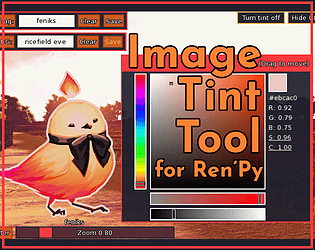
Hello! If you'd like to use this tool for titles or names and such, you can, but I'd recommend the built-in outlines for dialogue text or any text-heavy things. Dialogue in particular doesn't like to be shown at a transform so that the text shaders and CPS features can work. The built-in outline property for text includes offsets, and you can supply a list with different levels of opacity or size to create more of a soft blur effect. Hope that helps!

I'm delighted to hear it! Thanks so much for sharing ✨

It should be at the top level, so, not inside a frame. You can certainly adjust the area so it appears to be inside a frame.

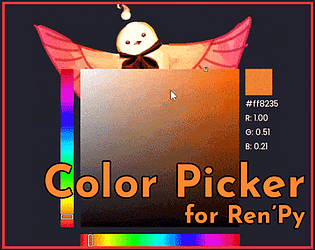
For the colour picker - are you using the controller version? I put out an update with color_picker_controller.rpy which you'll need to use if you'd like the bars and color picker navigation to be able to be navigated via controller.

For your screen - I think you'll want something like the event_listener screen in the controller pack, which sits on top of everything. It's added to config.always_shown_screens. If you want this mouse to work everywhere, I believe you will need to grab the mouse events and then send out a modified mouse event, otherwise you are not going to be able to do things like click and drag bars, drag and drop, or viewports. I get around this with the virtual cursor by making it a container you can put the screen stuff inside, because most games won't have a virtual cursor to navigate their entire game, and then I can pass along fake mouse events to the container's children. You're probably going to need to pass along adjusted mouse events to the entire game. I'm afraid this is about the extent to which I can assist you in this matter, however, as your question is no longer related to my tools. 

The virtual cursor isn't receiving mouse input; it's mimicking the functionality of a mouse by navigating around an image (the cursor) that can be used to focus things. If you specifically want a mouse cursor that takes over the usual game's mouse events, it's probably going to need to sit on top of everything and eat pygame.MOUSEMOTION and MOUSEDOWN/UP events so that you can use those events to control your desired mouse functionality. Then, depending on how you have your system set up, you might send modified mouse events back to Ren'Py at your desired coordinates. You will probably need to send some kind of mouse event out to the rest of the UI for things like drag & drop and edgescrolling at minimum, as they're hardcoded to listen for the pygame mouse events.

Most of Ren'Py's code to handle mouse events is in renpy/display/core.py in the Interface class.

Hey there! The stick sensitivity options will work for the virtual cursor as well, so you can adjust it that a small nudge will move the virtual cursor much farther, or that a large nudge will not move it very far if you need slower movement for precision. You can use the StickSensitivityAdjustment class as a bar value as demonstrated in the included preferences example screen.

For the TypeError, I'll direct you to /post/13055124 - specifically that you can remove the _game_menu_screen = "game_menu" stuff or adjust your game_menu screen.

The game directory needs to be in quotes! So, define config.save_directory = "Starcrossed" but specifically I really recommend you add some random numbers like define config.save_directory = "Starcrossed-023894873" because this is a folder that's gonna live on every person's computer who installs your game, and you want to guarantee it's unique.

What do your ATL transforms look like?

To be honest, I'm not sure this is a good use case for the controller viewport, or even a viewport at all. Given the animations you want to do, I'd probably just manually assign left/right to swap whatever card is in the center, and use ATL animations to move them to the right location. The cards wouldn't even need to be buttons; you can just have a variable track which one is selected and perform an action accordingly when the button_select action is performed.

Show the actual code, please.

The example code in the files can literally be copied into your game at whatever point you need it. It is demonstrating exactly how to make the pronoun systems work. You can delete the dialogue lines or change the choice menu text. The important part is the variables which are changed with lines that start with $. There are lots of comments in pronoun_labels.rpy to explain what the lines are doing. Does that answer your question?