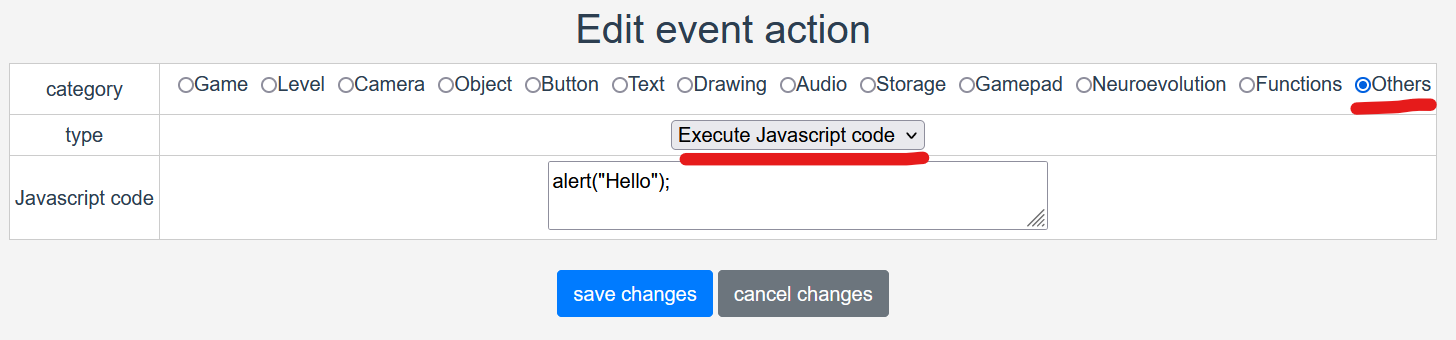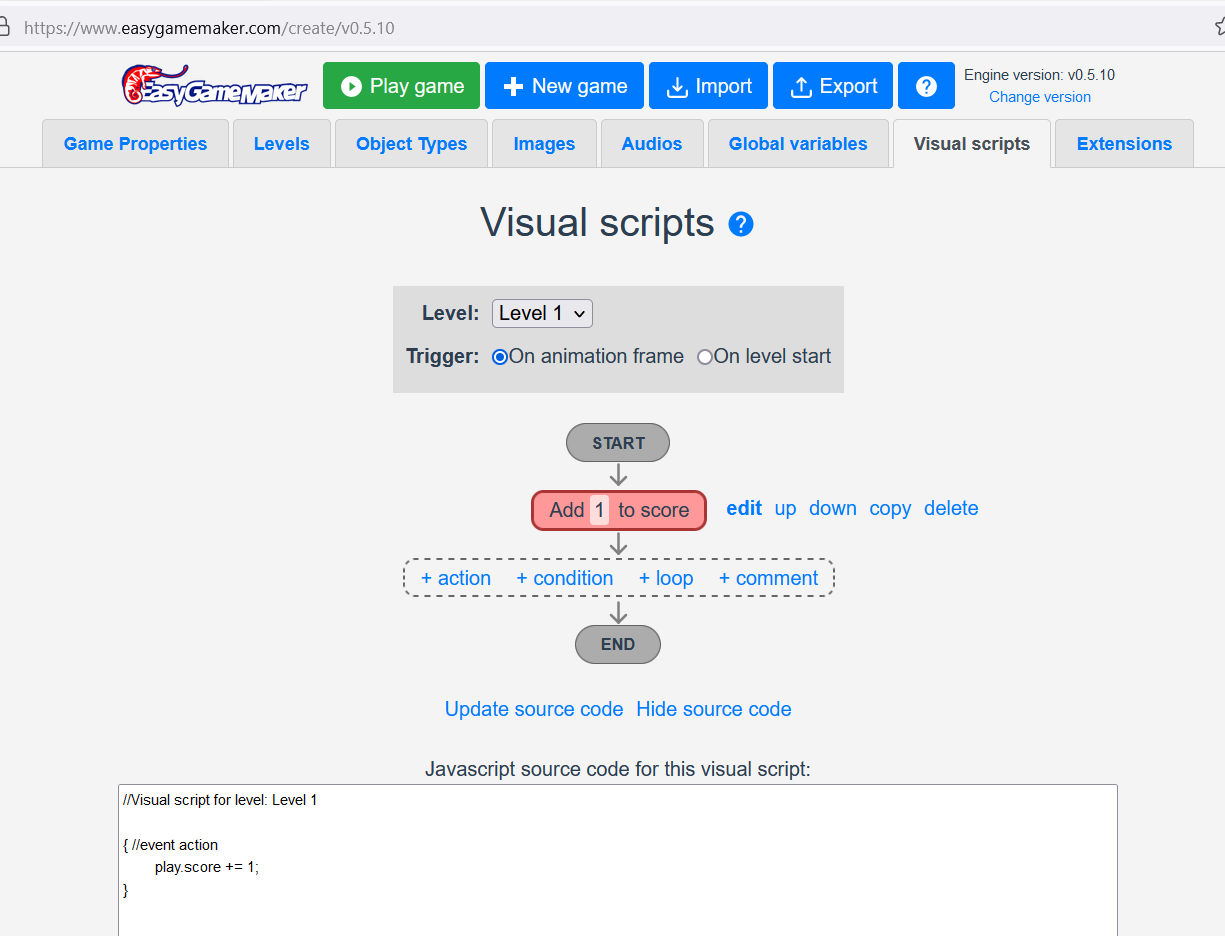

Can you explain what exactly you want to do, and how would you use this "wait" block?

easygamemaker
Creator of
Recent community posts
Updates in this version:
- Added configurable hitboxes to object types (at the "Physics" tab): the area used for collisions can now be smaller or larger than the object, and moved away from its center, with a preview in the editor.
- Hitboxes can be polygons, drawn in the editor by dragging their vertices, also with the Basic physics engine. With the "Platformer" behaviour, platforms with polygon hitboxes work as slopes (up to 45 degrees) that the player can walk up and down.
- Improved the collisions of circles with rectangles and with other circles (Basic physics engine). Circle with rectangle: the detection is now exact, instead of treating the circle as a square, so a circle near a corner of a rectangle only collides if it really touches the corner. With the behaviours "Platformer", "Stop on object" and "Bounce on object", a circle is now pushed out of a rectangle or of another circle in the direction of the contact: it can rest on the corner of a rectangle or on the side of another circle, and rolls off when it's more than 45 degrees to the side (before, it was pushed only horizontally or vertically, and stood until its bounding square left the other object). This can change how existing games with circles behave.
- Each animation can have its own hitbox (at the "Animations" tab of the object type), used while the animation is playing. For example, a smaller hitbox while the character is crouching.
- Editor: added option "Show hitboxes" while testing the game, which draws the hitbox of every object in red.
- Editor: a warning is now shown when the game can no longer be saved automatically in the browser (game larger than 5 MB, or browser storage full), suggesting to export the game to JSON to keep a copy of the changes.
- Fixed bug: a backtick (`) in a static text of the event actions "Draw text", "Console log", "Set local storage variable" or "Set text attribute" caused an error that stopped the level's visual scripts from running.
Updates in this version:
- Added event action "Draw star".
- Added event action "Draw round rect" (rectangle with rounded corners).
- Event action "Draw percentage bar": added option to configure a radius, allowing the bar to have rounded corners.
- Fixed bug: drawing event actions ("Draw rect", "Draw text", "Draw percentage bar" etc.) with alpha 0 were drawn fully opaque, instead of fully transparent.
- Event action "Draw text": added option to draw a border around the text, with configurable border color and size.
- Level editor: when multiple elements are selected (holding CTRL or SHIFT), allowing to clone all of them at once, keeping their relative positions.
- Level editor: cloned objects and texts now keep the z-index of the original element.
- Added level effects "RGB split" and "Bloom" (glow), configurable in the new "Effects" tab of each level. They use WebGL, so they have little impact on performance.
Have you seen the video tutorial?
There is also the multiplayer documentation in the link below:https://www.easygamemaker.com/docs/extensions/multiplayer
I will also post another videos on YouTube and tutorials in the website.
Updates in this version:
- Allowing to create multiplayer games with the new Multiplayer extension.
- Improvements in user interface.
- Added new expression category: String.
- Added 6 expression types for the String category: Random string, To lower case, To upper case, Substring, Slice and Length.
- Added new expression category: Loop.
- Added new expression type: Loop variable.
- Added new expression category: Keyboard.
- Added new expression type: Current typed character.
- Added new event condition "On ANY key down".
- Added new loop type: Custom (advanced).
I didn't understand what you mean when you say "copies itself without needing to indicate the block number".
When adding the objects/blocks in the level, you can click on "grid setting" to configure the grid size. Then, you just need to drag with the mouse to add multiple copies of the block. You don't need to indicate any block number, just select the object type that you want (in the left panel) and click in the position in the level you want it to be created.
To make copy of an object, you can click on the object in the map, with the "select tool", and then click the "clone" button. Similar thing if you want to edit, or delete.
You can just ignore the list of objects in the right panel, if the map is very large, with hundreds or thousands of objects. It's easier to just click in the object in the map, to edit, delete or move the object.
The Ship direction in your sprite is not syncronized with the object angle.
In the event action "aply force to object", try replacing the "angle" expression with one of these:
$Ship.angle + Math.PI/2
$Ship.angle - Math.PI/2
-$Ship.angle + Math.PI/2
-$Ship.angle - Math.PI/2
Math.PI/2 is equivalent of 90º.
Hello, VintageGamerC64.
You have 2 options to do that.
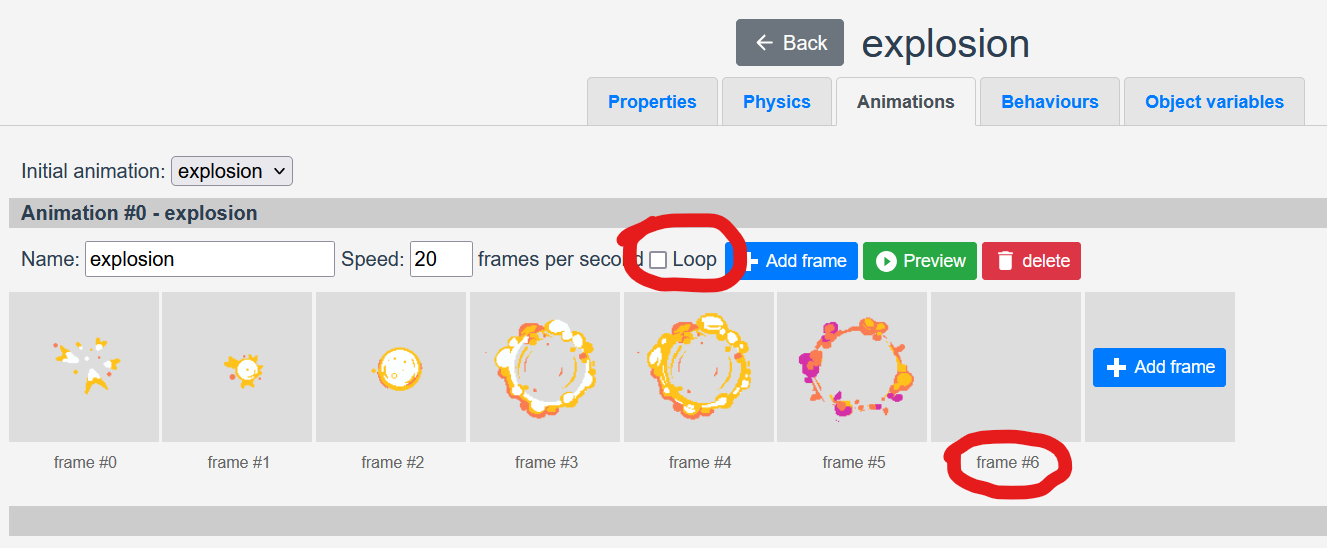
Option 1:
When creating the explosion animation, just disable the "loop" checkbox, so the animation will not repeat endlessly. And use a transparent image for the last animation frame, like was done in the Copter game.
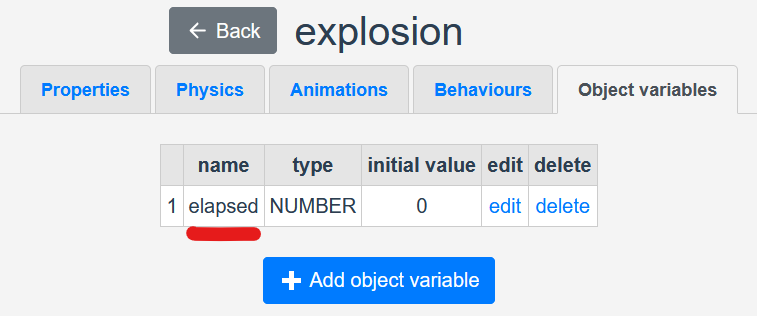
Option 2:
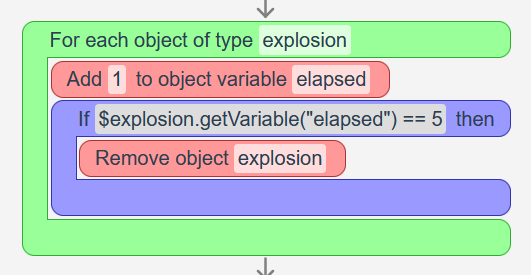
Another option is to create an object variable, for the elapsed time. Add 1 to the variable on animation frame. And add a condition, when elapsed==5 (or the number of frames in the animation) then remove the object.
To export to JSON format, click on the "Export" button, and then click in the "Download JSON".
To send me the JSON... I think it's not possible to send attachments here in "itch.io", but you can send me in Discord (https://discord.com/invite/2ueUqGBMYE). Or you can send it to Filebin (https://filebin.net/) and share the URL here.
You can use variables. For example, when press the punching key, change animation to punching, and also set the variable "punching" to true. Then, in the collision, check if the variable "punching" is true. When the punching animation finishes, set the variable to false.
If you need the collision to be only in the player hand, instead of the whole sprite, you can create an invisible object, and always set its position relative to the player position.
Updates in this version:
- Adding option to create constraints between objects with Matter.js physics engine (fixed distance between objects) in the level editor.
- Adding new event action: "Add constraint" (fixed distance between objects).
- Adding new event action: "Is button down".
- Adding new event action: "Draw arc".
- Adding new math expression: "arctangent".
- Adding new library images and categories.
- Adding "alpha" attribute to all event actions of "Drawing" category.
- Adding "mouseButton" attribute to event conditions "Click on object" and "On button click".
- Allowing to select, delete and move multiple elements in the level editor.
- Allowing to change object angle in the level editor (only for objects with Matter.js physics engine).
- Enabling again the option to view the Javascript source code of visual scripts.
- Disabling grid rendering automatically in level preview when zoom out is too much.
- Improvements in visual script debugging.
I played several minutes both on Firefox and Chome and still not able to reproduce the FPS drop.
I took a look at the visual scripts and didn't find anything that may cause FPS drop.
I was just walking in the maze, get the shield, and the orange button. Did you do something different when the FPS drop?
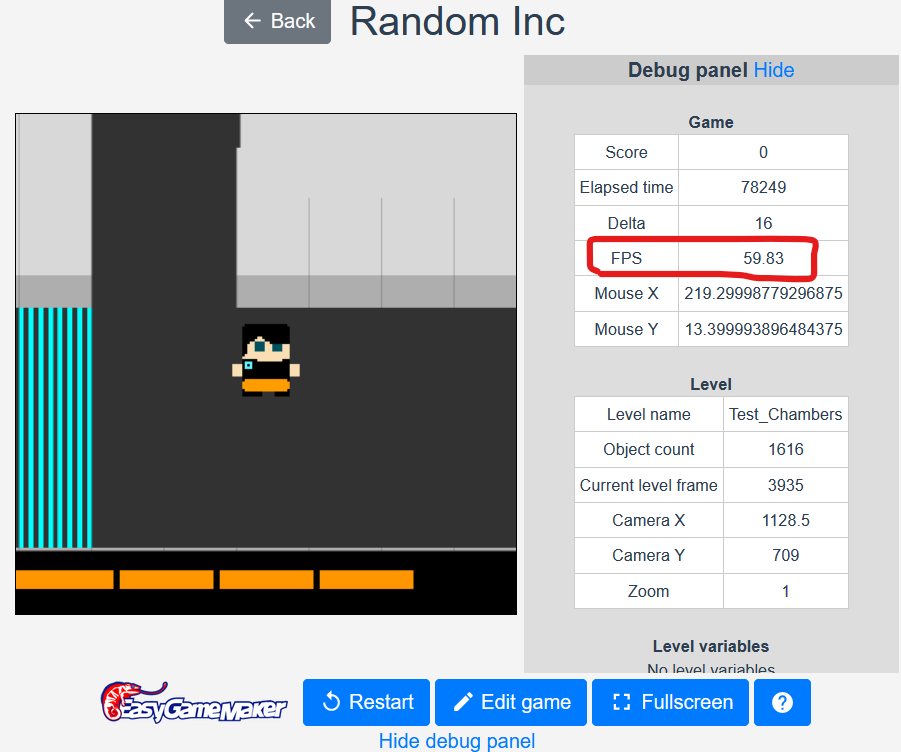
I recommend you open the bebug panel, and check the "object count", as shown in the image above. Is this "object count" increasing too much when the FPS drop? What is the "object count" when it happens?

You can upload the game JSON to https://filebin.net/ and share the link here.
Hello. You can send me the game JSON in Discord. You can send me in private there, and I will check for you.
The Discord is this:
https://discord.com/invite/2ueUqGBMYE
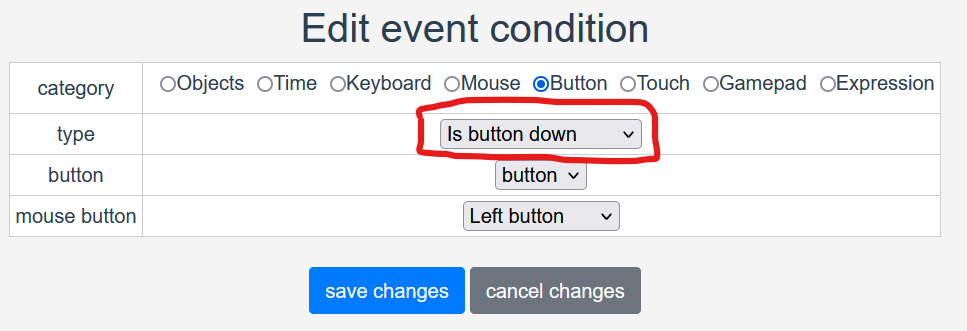
I will implement "is button down" condition soon. Thanks for the suggestion.
Can you explain what do you want with "Draw button"? I think I will add more attributes to level buttons, like "enabled/disabled" and "visible/hidden". So you can hide or show buttons with level scripts. Also, add option to create buttons dinamically, with visual scripts.
I would need to investigate your game JSON to check.
Maybe it's some problem with the visual script of your game, creating too much objects, and consuming all CPU.
For example, if you create a loop, for each object of type X, create object of type X. With 1 initial object, it will create 2, then 4, 8, 16, 32, 64, 128, ... With 30 frames per second, after only 1 second it will create 1.000.000.000 objects, and will probably freeze the machine.
This is only an example, but I would need to check you game JSON to see what is causing the problem.
I think I will add option to set a limit to the number of objects per level, to avoid accidental problems like this.
Hi.
There is a bug in the export when you use line breaks in the game description.
Check if your game description has any line break, remove them, and try again.
I will fix this bug soon in the next game version.
If the problem persists, can you please share your game JSON, for me to check? You can upload to https://filebin.net/ and share the URL for me to check.
Thanks.
Hello again.
I just published a new version of EasyGameMaker.
Now you can export your games to HTML.
After downloading the exported ZIP file, extract its contents, and open "index.html" to play your game.
If your want to publish your game on itch.io, you can download the ZIP file and upload it "as is" to itch.io.