

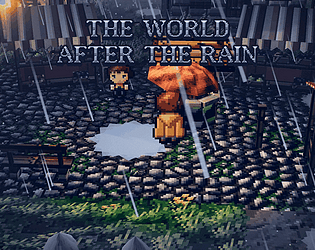

Thanks! I spent quite some time working on the rain effects, so I'm really glad you liked them!
DeFacci
Creator of
Recent community posts
Thanks, totally agree! The game should be fully playable with just the keyboard since v0.1.1. Every menu has a keyboard cursor (arrow keys/WASD/numpad + Enter), pressing V activates a look cursor on the map that can do everything right-click does, and you can move the aiming cursor using the movement keys.
You can also switch to a vi-keys layout or rebind individual keys under Options → Controls.
If you find anything you still can't do without a mouse, please let me know and I'll fix it!
Thanks! Really glad you're enjoying it, and I appreciate the comparison!
Auto-eating currently picks food by its value relative to how much hunger it restores, which can make it consume raw ingredients first. There isn't a cooked-food priority setting right now.
I'll fix the inventory issue and adjust auto-eating to prioritize prepared meals, with an option to keep raw ingredients reserved for cooking. Thanks for reporting this!
Great to hear it runs well on the Deck!
For movement, you can use WASD, arrow keys or the numpad, including diagonals with W+D or numpad 7/9/1/3. Shift + movement lets you attack non-hostile NPCs. Space is wait, R is rest, Z is explore, E is interact, V is look, X is sneak, Q is potion and H is eat.
The hotbar uses 1–0, with Shift for the second row. When aiming, Tab cycles through targets, Enter fires and Esc cancels. For menus, Tab opens the screen selector, or you can use I for inventory, C for character, T for talents, J for journal, M for map, N to explore the current world map tile and B for crafting.
For now, you'll still need the mouse for some menus. I'd suggest mapping the trackpad to mouse input and right-click to a trigger, since right-click shows the available actions for most things.
I'm planning to release the next version next week with fully rebindable keys in Options → Controls and complete keyboard navigation, including menus, map inspection and aiming with movement keys. That should make setting up a Deck layout much easier!
Thanks so much! Really glad you're enjoying it!
And that's a great suggestion! The game already uses the keyboard quite a bit, so making everything fully playable without a mouse makes a lot of sense, especially for traditional roguelike players. I'll look into improving keyboard support for targeting, combat and menus.
Really appreciate the feedback, and hope you enjoy exploring the rest of the game!
Sorry for the late reply! I've been busy working on another project. You're right, the Fracture endings were pretty tricky to get, especially Void. I actually just released an update reworking the whole Fracture system, with more player control and clearer choices. Thanks for taking the time to dig into the game and figure all this out!
Yes, that ending is reachable. It is tied to the Blank fracture route: choose options that deny, hide, erase, or remove the fracture rather than answering or studying it.
Once you have fully entered that route, the Mind panel should display “Blank” along with an “Absence” value. Keep building Absence, then take the final Blank choice.
The ending also requires low Paranoia, so it may not trigger immediately if your Paranoia is still too high.
If you find any issues please let me know


