
On Sale: GamesAssetsToolsTabletopComics
Indie game storeFree gamesFun gamesHorror games
Game developmentAssetsComics
SalesBundles
Jobs
TagsGame Engines

Coldfox

92
Posts
1
Topics
172
Followers
4
Following
A member registered Dec 15, 2019 · View creator page →

Creator of

Recent community posts

Hi, sure! Join our discord and DM me! 

https://discord.gg/36MmFZWSpJ

All new software will say that. Microsoft marks them all as such. Just click "Install anyways".

No problem!

Hi! You have to go My Account and connect your itch account and log in!

(1 edit)

Hi, this already exists!

They can try it by going to this page:

https://manabit.app/try

Brave browser might be the issue, we had another user had other issues with it. If possible, try a more common browser like chrome. And if you get a prompt to install as a Web App, I would do that, it's much more comfortable.

We haven't encountered this bug at all. If you want you can come to discord, and report the bug, with a screenshot. And we can look into it! Hopefully you can try again in the future. Thanks!

https://discord.gg/36MmFZWSpJ

We may add it in the future. For now your best bet is the web version.

Yes we will add more gestures soon! I suggest you join our discord for features and updates! 

https://discord.gg/36MmFZWSpJ

Thank you so muchhh :)

Yes 100%. There will be. We're planning on that already!

Hi friend! Yes that is indeed a feature in Manabit! You are talking about the "cube" shape. Go to Shapes > Cube. Then you build the character in 3D shapes in a layer. You can then draw over it in a new layer!

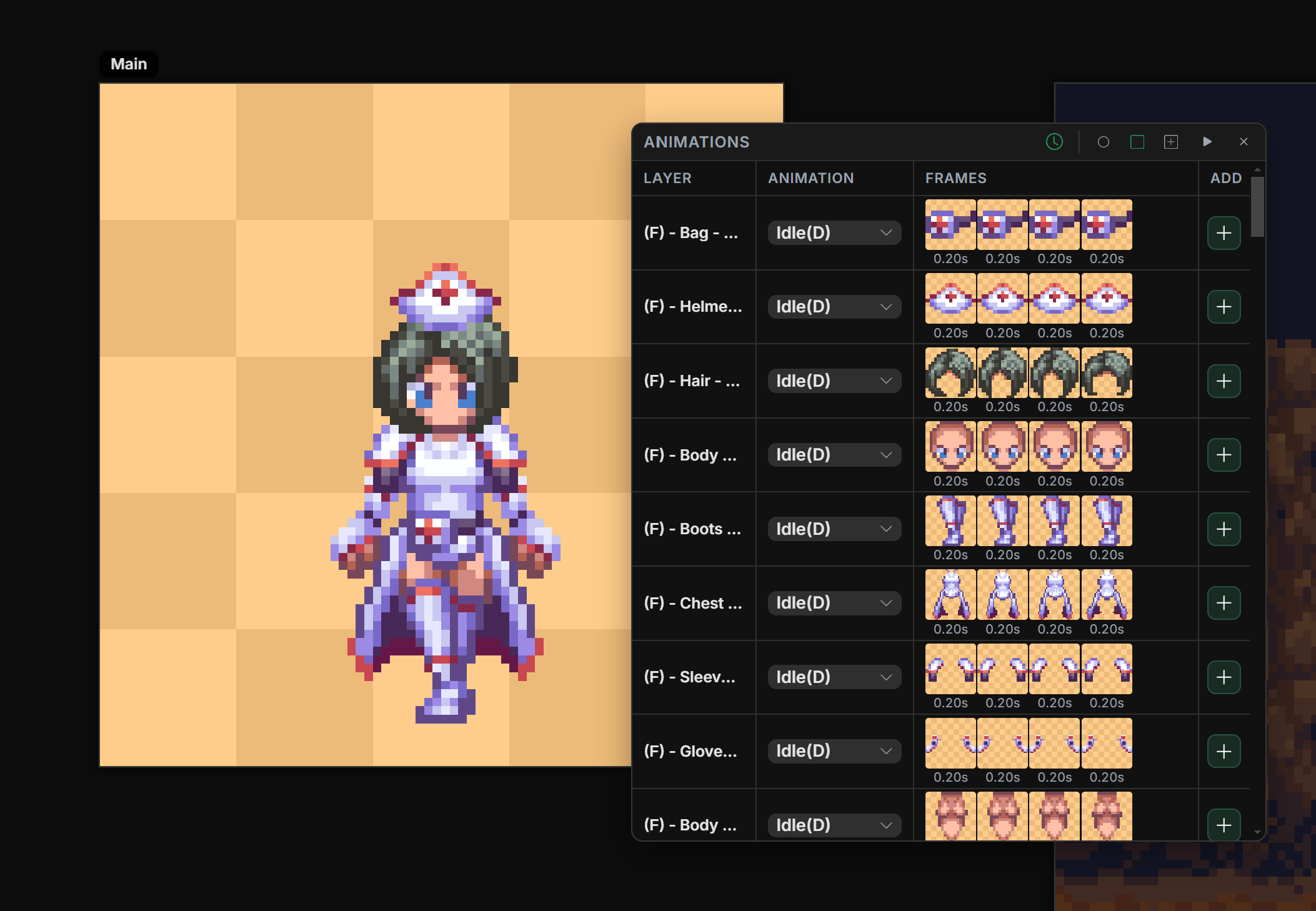
We updated our animation system. It is now more in line with what you mentioned here.
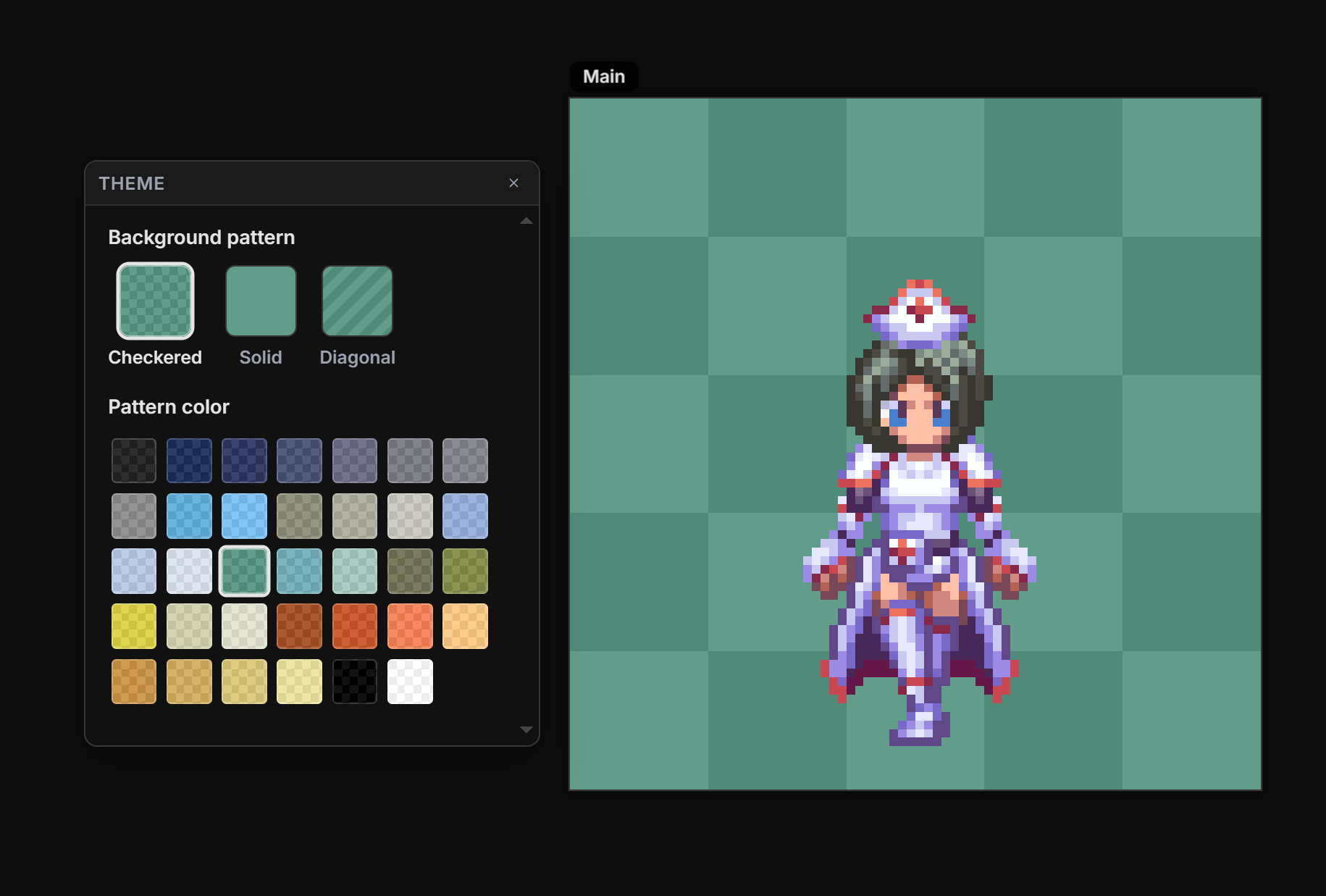
We recently added checkered background options. You can now select the color and the pattern! 

Yes, we're constantly improving. the isometric tiles system is quite new so expect upgrades. The Tile builder does replace tiles, the only way is to draw tiles on layer above. Although, maybe adding an option to not replace, but overlay tile on the same layer would be useful. So you might have a point there. I will add some notes to improve these. Thanks for the feedback!

Yes we will add more customization options in a upcoming update.

We may add native linux support in the future. 

Thank you!

hi Manukineko!! How are ya buddy?
Not at the moment. This is 100% in the road map though and updates are free.

Yes you can buy it from here:

Purchase Manabit on Ko-fi

No problem! Yes there is a Sync toggle that syncs all frames to preview them simultaneously. It may seem a little different at first but it does have it’s advantages because you can choose which animation sets you want to sync. In the case that for example, you have a player’s legs animated to run, and you want the player’s upper body to have different animations such as aim, reload, punch, etc. In aseprite you would have to copy the leg’s run frames to all upper body animations to preview them simultaneously in combination. And that would only work if you have the same amount of frames on the leg’s run animation as each upper body animations. Another issue would be editing the run animation you would have to copy the edited frames on to all upper body animation. Furthermore, if you introduced more leg and upper body animations you would have to do a lot of manual work to preview them to see if they sync well. In Manabit, you just select which animation from which layer you want to preview by selecting the animation you want to preview as the “favorite “. 

Yes it’s possible but it’s different than sharing timelines. It’s designed to handle any combination of animations for game design mostly, so you can build all assets in one file and preview it all together.

I do encourage you to give it a try. It’s slightly different but infinitely more powerful. And it will only get better with updates.

I hope that clears up the differences. You can also read the docs for more info.

https://manabit.app/docs/features/animations/

Yes. Manabit supports layered sprite animation: each layer can have its own frame strip with independent art per frame, and with Sync on you can preview all layers composited together (similar to Aseprite’s cels).

The difference is organizational: Manabit uses per-layer frame strips rather than one shared timeline grid. Layers can also hold multiple named animations (e.g. idle + walk on the same layer).

It's not exactly the same as Aseprite because Manabit does not have 1 timeline for all the layers. It's 1 timeline PER layer. I hope that clears it.

You are alsfo free to join the discord if you have more questions!

https://discord.gg/36MmFZWSpJ

There was an issue with the log in process. It's fixed now, when you can, try again! 

Hop on the discord I'll help you figure it out
https://discord.gg/36MmFZWSpJ

Hello!
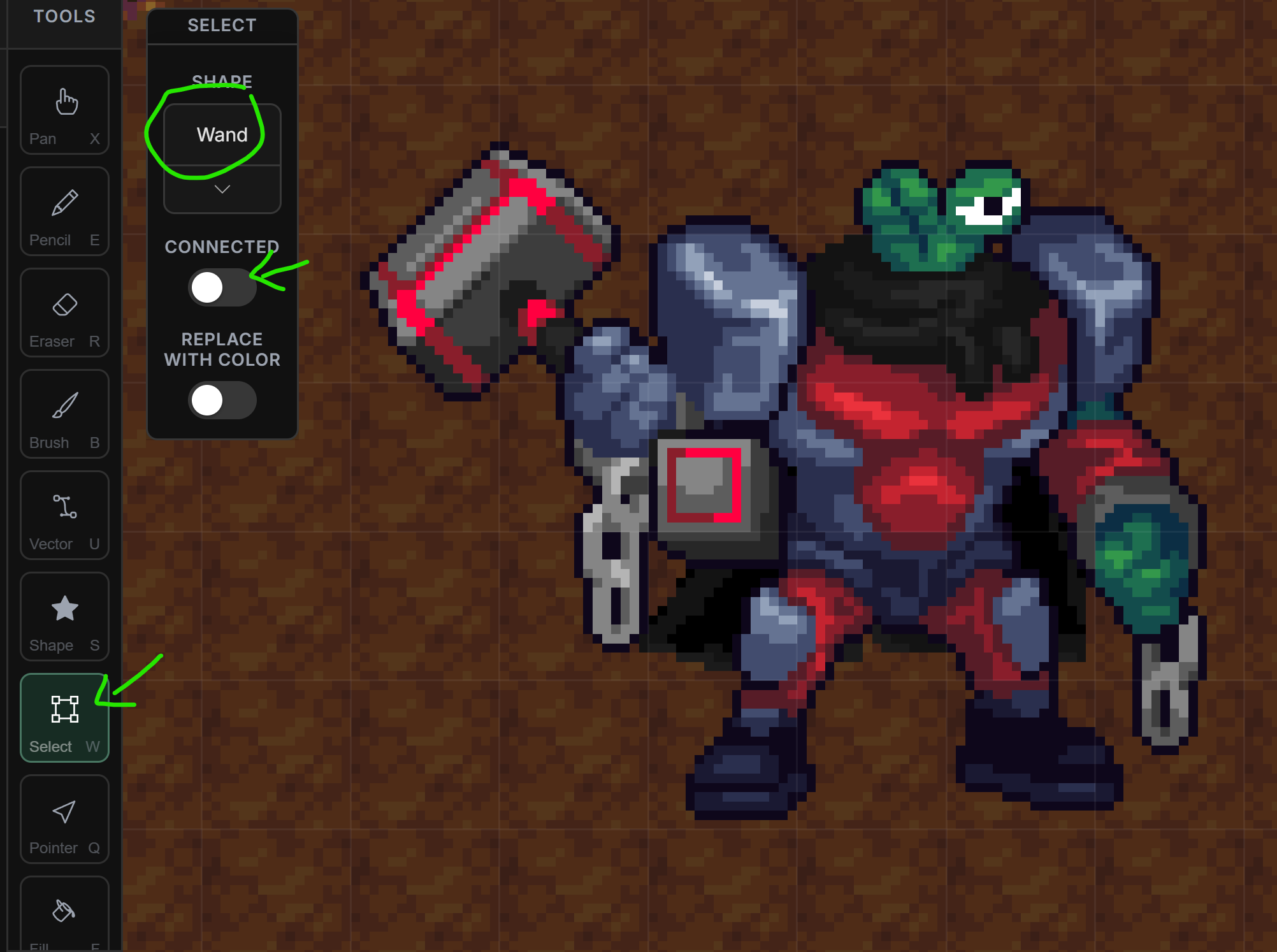
Ah I see what you are saying. Automatically no, the app doesn't do that. But manually, yes:

  • Switch to the Select tool (W).
  • Change the Shape to Wand.
  • Make sure Connected is turned off.
  • Click the color you want to remove and press DELETE on your keyboard. 
  • It will remove that color from the image.

Note: You can also change that color instead of removing it by toggleing on "Replace with color".
(1 edit)

hi @Rustbox Games.
Yes just add the folder name followed by a "/" to the Layer Name and it will create folders.
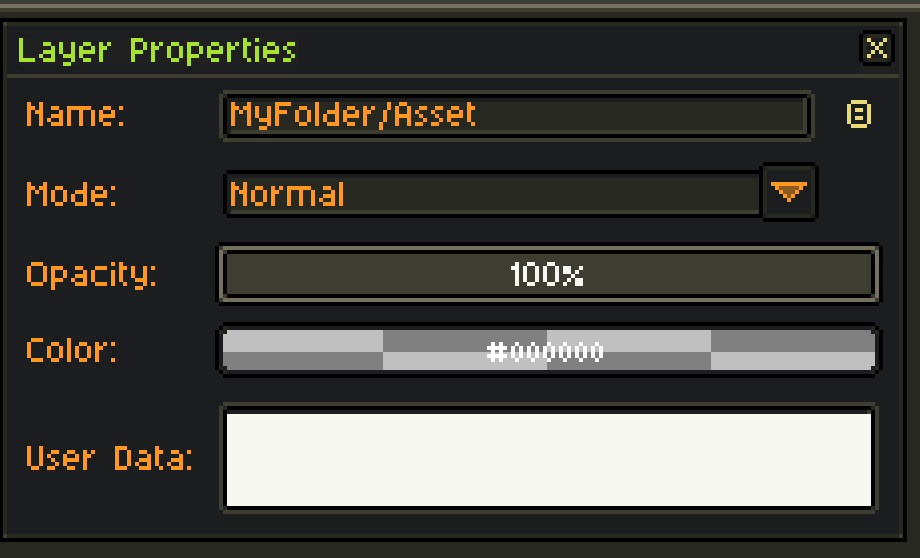


Can you contact me on discord, or create a support ticket there? I will try to help you sort it out. 

discord

Can you contact me on discord, or create a support ticket there? I will try to help you sort it out. 

discord

(1 edit)

You are welcome! I hope you make awesome things with it! Join our discord for early access to new features!

Discord

via any browser, yes. And you can do a Shortcut to it :)

Awesome! Welcome to the community :) 
I suggest you join the Discord as well as I post early feature releases and updates there!

Discord

There are plans for that. We just need a bigger user base first.
However the web version is fully-featured that works on iOS and android!

Hi Manukineko!
You were right, the algorithm was ignoring all frames due to the keyword '[ignore]' on the top-most animation. I fixed this issue, please download and update your extension and try again

Ah I see. I will look into this

You are welcome! If you can please leave a positive review, it would mean alot. thanks!

Hi guys:

This issue has been resolved in the latest update. Please update your extension to see the changes. 

v5.9.1.16 : Trim, Ignore Tags, Settings & Docs, Indexed Color Fix - Aseprite Advanced Exports by Coldfox

Hi @Spooky Squid Games. This issue has been resolved in the latest update. Please update your extension to see the changes. 
v5.9.1.16 : Trim, Ignore Tags, Settings & Docs, Indexed Color Fix - Aseprite Advanced Exports by Coldfox