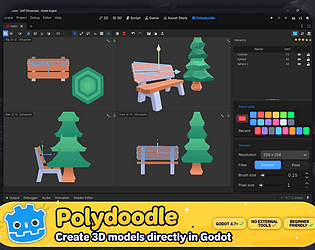

Gator model studio is a totally different thing, that plugin is very unstable, lots of options are just added without proper testing. the interface is not very pleasant. where Polydoodle is a very different thing, its very easy to use, smoother, and every feature is extensively tested. i am not saying that there cant be bugs in Polydoodle but you will get a very easy to use way faster and more pleasant experience with Polydoodle. it not trying to mimic blender or anything. its entire purpose is to create the 3d modeling process faster, easier and hustle free from constantly export/import to tweak small mistakes. i took the inspiration from Picocad which is the easiest low poly modeler and i added more modern modeling tools to it. lots of features are there to create the asset creation process much faster. lots of improvements already have been made what you are seeing in the video and the gifs, and lots are planned and i am currently working on them.
hope i am able to explain what Polydoodle is all about. its solely purpose to make 3d asset creation much faster for games, not to try to mimic blender where you can create movies and stuff with high poly 3d models. because those unnecessary systems are not here everything is way more simpler and easier here. hope you understood the concept.
hope you for a great day.
Thank you
Choco Ted
Creator of
Recent community posts
I already implemented the new asset zoo system in new version and the update is ready to be pushed. You will get the version with new zoo system with selective assets, selected group or entire library anything you want. The update will available in 1-2 days with lots of bug fixes. Please be patient till then.
Hi Displee, thanks for the feedback! I am not entirely sure I understand what you mean by 'circled or half circled paths' and the annoying half tiles. Could you explain a bit more, or maybe share a quick sketch or a reference image from another game of exactly what tile shapes you are looking for? I want to make sure I understand before drawing new tiles.
When you enable the plugin look at the output tab of Godot there will be few instructions highlighted in yellow. And on the right side next to inspector you will find a new tab called uap settings and in that there are few groups, you can swipe right to reveal a docs group. In the docs you will find everything about this plugin.
Sorry for the issues I will look into the issues and will try to fix by next update. And for the thumbnail cut off can you share a screenshot of the problem? so I can understand better what is happening. For the scene thumbnails you need to open the scenes once and when you close or change the scene the thumbnail will get saved of the last view of that scene. If this system is not working for you please do let me know.
I updated the plugin with the new thumbnail generator. Godot does not load all the thumbnails by default so I had to create my own system. So you just have to open the scenes that you want the thumbnails of. It's one time process. Next time you open the editor the thumbnails will always be there. And I fixed few bugs as well related to the scaling issues. Do test it and let me know if there is any bug remained I will fix it by next update.
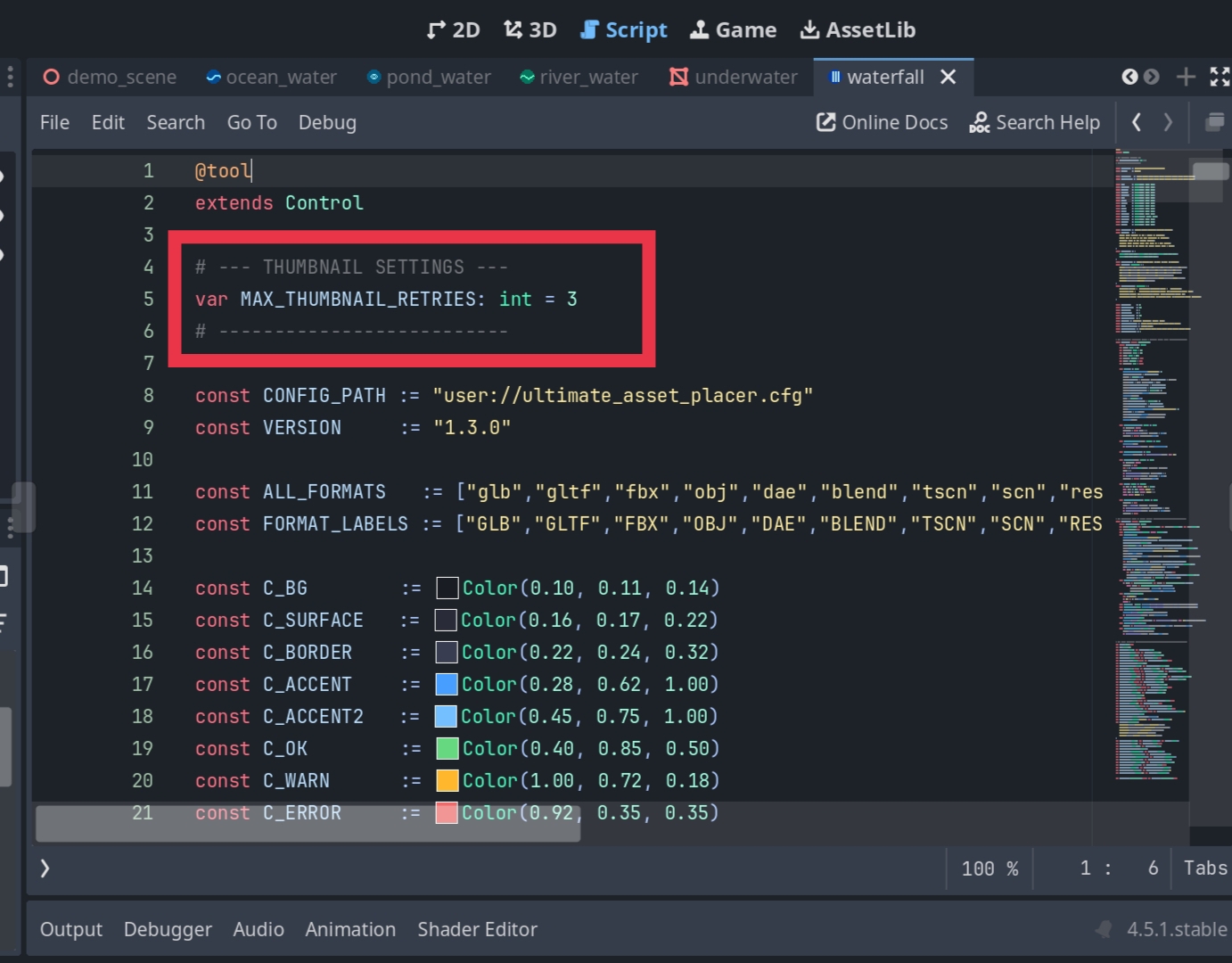
Regarding the .tscn files, thumbnail support is actually available right now! Currently, the tool only attempts to load the thumbnail three times before skipping it, so if a scene is particularly big, it might fail within that window. As a quick workaround, you can set the number of retries to -1, which will allow for unlimited retries.
If it still doesn't load after doing that, please don't worry. I am working on figuring out a way to properly load thumbnails for large scenes with full optimization, ensuring the tool doesn't crash even when handling 1000+ scenes at once.
I will be fixing all the issues you mentioned in your feedback by the next update. Thank you for your patience, and I hope this helps!
For the tscn file they are very hard to optimise on the thumbnail side. And for the negative numbers it can't go beyond -10 because I just recently switched from number based to slider based control so if you have to go beyond -10 you have to set it in code. And for the scaling issue part I did fix most issues but some of the issue remained. I am not using a 4k monitor so if you share some more screenshot of the issue that would help me a lot. I will try to fix most of the issues you are having by the next update.
i will be adding a toggle feature to switch between thumbnail and list. some assets appears small when pasting? i did not knew about this bug before. did you double check that your random scale option is not enabled ? i am using this plugin and never encountered this bug once so i might have to dig deep to fin this bug.
I totally missed that typo error. Thank you so much for informing. But i don't think that the typo error is the reason my asset pack is not appearing in the search results. I already added all the tags and the description etc so it should detect what my actual asset is all about. But by searching isometric pixelart there is nowhere my project to be found
Thank you for responding. I am more concerned about my all projects. I don't know why but when someone try to download my new "Ultimate Asset Placer" they get a suspicious account warning and the same thing happened with my isometric assets as well. I don't know why itch just flagged by account as suspicious or what is happening. I put a ton of effort creating all the assets and plugins and if itch just tell the buyers that my file is suspicious it can break the trust of the buyers. I want a manual review in my account and want to ask if I have done something wrong so I can fix it. I already created multiple tickets in email but not even a single response. I request you to please help me i don't know much about itch.io stuff so I need genuine help.
Hi itch.io team,
I'm hoping to get some manual help with my account. My projects are currently not showing up in search, and unfortunately, I haven't received a response to my support emails regarding this issue.
Here are the two projects affected:
- Cozy Isometric Pixel Art Asset Pack: /__site/choco-ted.itch.io/cozy-isometric-pixel-art-asset-pack-32x32-exterior-game-assets-for-godot-unity
- Issue: I uploaded this back in 2024. It has been live for over a year but has never been indexed and does not show up in any itch.io searches.
- Ultimate Asset Placer (Godot Plugin): /__site/choco-ted.itch.io/ultimate-asset-placer-godot-45-gd-script
- Issue: I uploaded this a few days ago. I understand there is a standard review queue for new projects, but given that my 2024 project is still stuck, I wanted to ask if you could check if my account has been accidentally flagged by the spam filter.
Both project pages are set to Public, have downloadable files, and include cover images. Could an admin please take a quick look and help index these?
Thanks so much for your time and help!