

Indie game storeFree gamesFun gamesHorror games
Game developmentAssetsComics
SalesBundles
Jobs
TagsGame Engines

AncoachStudio

5
Posts
1
Topics
A member registered 40 days ago · View creator page →

Creator of

Recent community posts

Devlog update: why I moved the teleport button

The first layout seemed obvious on my own phone. One thumb moves the necromancer and the other handles attacks, teleporting and skills. Once other people tried it, the distance each thumb could comfortably reach depended on how they held the phone and how big their hands were. Their feedback led to three presets: Default, Right-hand cluster and Left-handed.

Then a longtime tester pointed out that the Right-hand cluster had put teleport under the movement thumb. I tried moving and blinking without stopping. Sure enough, my thumb had to leave the stick, the direction input disappeared, and I blinked the wrong way. I swapped attack and teleport so the thumb already holding a direction could stay where it was.

I made a separate change to auto-attack. It used to live in settings. The lantern button lets you toggle it during a fight, when you can actually tell whether you want it. The lesson I took from both changes was to test the transition between actions, like moving into a blink, as well as whether each button is easy to reach on its own.

The image below is an earlier Korean development capture with the touch HUD visible. It shows how much the two thumbs were responsible for during a fight. Button positions and labels reflect that build, and the debug overlay isn't a performance benchmark.
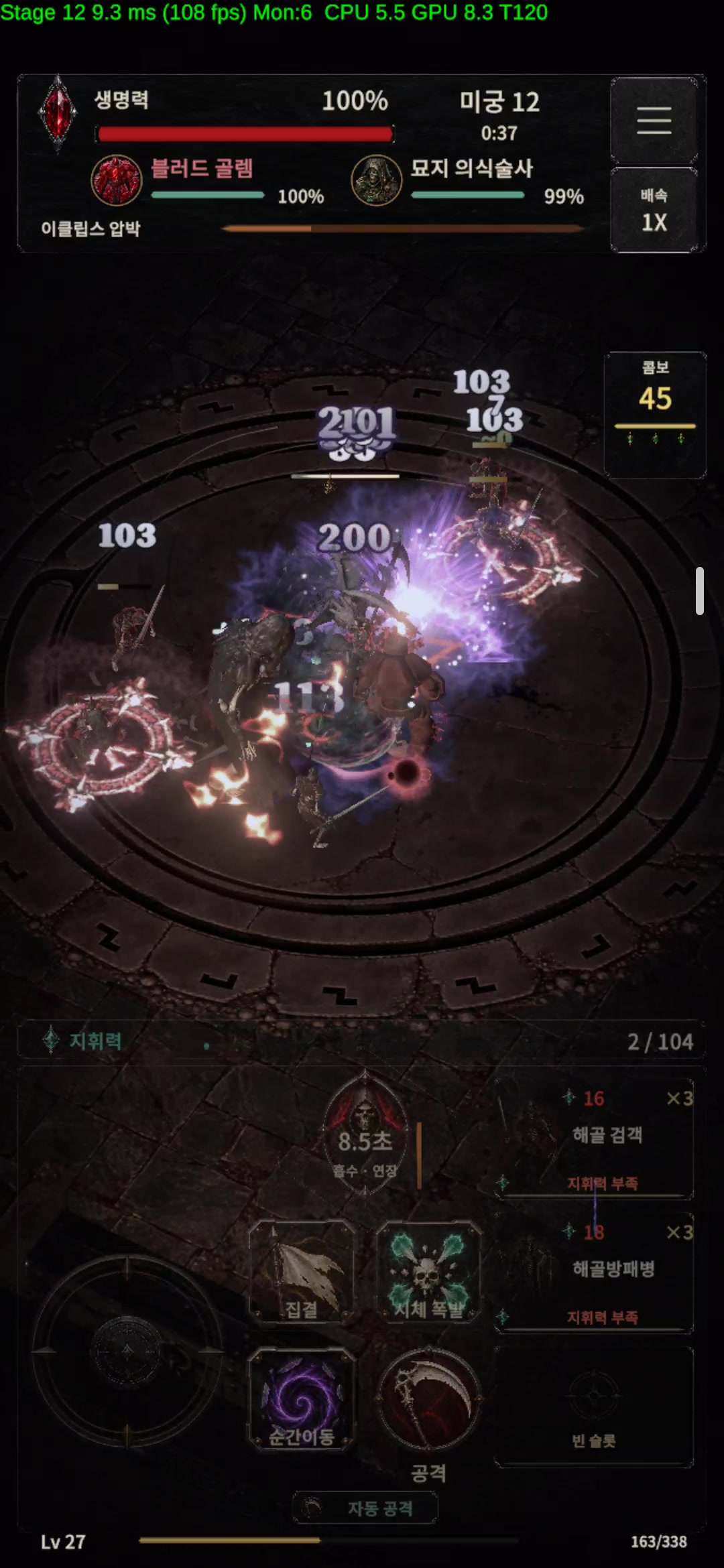
Earlier Korean development screenshot showing a movement stick and attack, teleport, skill and auto-attack controls around the bottom of the battle screen.

Necromancer: Undead Legion RPG

Hi everyone! I'm Ingyoon, the solo developer at Ancoach Studio. I started learning to code through Google searches in 2022, and I'm developing Necromancer: Undead Legion RPG for Android and iOS.

The core choice is what to do with a defeated enemy: raise an eligible corpse as an undead ally, or spend it on a corpse explosion. You move, attack and teleport alongside the army, with optional automatic attack/hunting. The game has 36 undead types and supports 15 languages.

A curse zone that was working on paper

One returning tester told me that the full Charnel Liturgy set kept placing its curse zone where there were no enemies. The set bonus was triggering, so this was easy to miss if I only looked at whether the effect activated.

Looking at the code confirmed the problem: the zone used the oldest corpse as its anchor. That position could be far from the current fight. The tester had picked up the mismatch through play, even though the effect appeared to be functioning.

I changed the placement so the curse zone appears where the corpse explosion hit the most enemies. The useful lesson for me was to check the relationship between an effect and the battle around it, rather than stopping at whether it triggered.

Players from my previous game have returned to help test this remake. One individual tester has sent over 1,000 pieces of feedback. This targeting change is one example of how their observations shape the game.

A question for other developers and players

In an action game with lots of summoned allies and ground effects, what visual feedback best helps you understand why an effect appeared where it did? I'd be interested in examples or approaches you find readable.

This is a paid mobile game still in development; the project page is informational and has no public playable demo. I'll keep future concrete development updates in this thread.

Project page, current trailer and screenshots:

/__site/ancoachstudio.itch.io/necromancer-undead-legion-rpg

Mechanics guide:

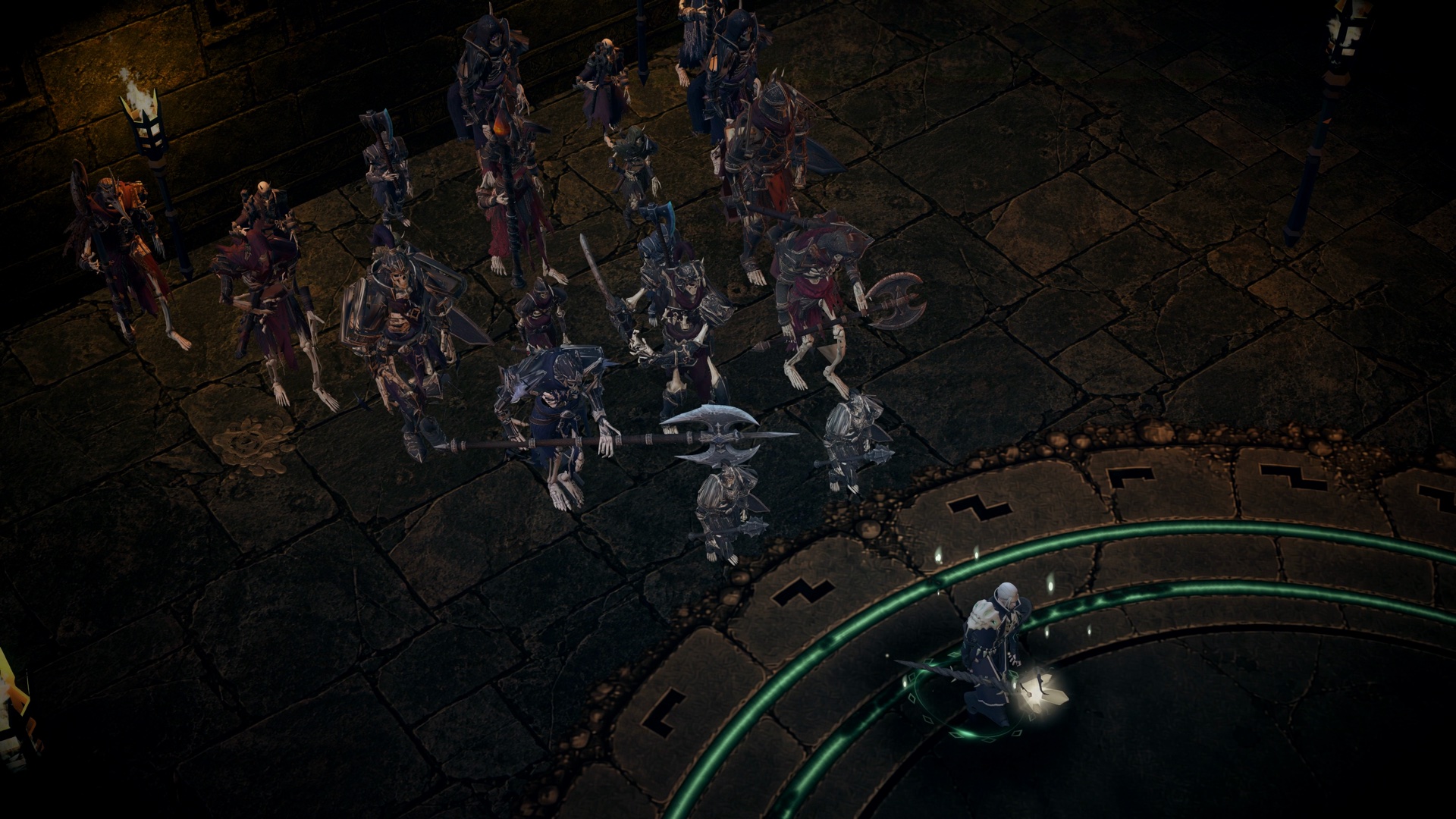
https://undead-legion-guide.pages.dev/en/Actual development gameplay from Necromancer: Undead Legion RPG: a necromancer and undead soldiers in a dark stone area. The HUD is hidden for filming.

Image: actual development gameplay, captured with the HUD hidden for filming. It gives visual context for the game. Some project/promotional art uses AI assistance.

Hi! I'm Ingyoon, the solo developer at Ancoach Studio, making Necromancer: Undead Legion RPG.

A fallen monster can become part of your next battle: revive eligible enemies as allies, or use corpses for explosions. You move, attack and teleport alongside the legion; optional automatic attack/hunting is also part of the mobile design. There are 36 types of undead and 15 supported languages.

One development lesson came from a tester: teleport was under the movement thumb in a control preset, so lifting that thumb dropped the direction input. I swapped attack and teleport. Players returning from my previous game have helped shape this remake; one individual tester has sent over 1,000 feedback items.

This is a paid Android/iOS ARPG still in development, with pre-registration/pre-orders in eligible regions. There is no playable download or public demo on the project page.

Current trailer and screenshots: /__site/ancoachstudio.itch.io/necromancer-undead-legion-rpg

The footage is actual game capture with the HUD hidden for filming, rather than the normal phone control screen. Original music/SFX are retained.

For the corpse systems and controls: https://undead-legion-guide.pages.dev/en/

From the footage, which appeals more to you: growing a revived army, or saving corpses for an explosion?

Final Trailer: